
Streamlined and Simplified: Inventory and Bill Features You Can Use in Xero
If you run a goods based business, managing stock and keeping on top of bills can sometimes feel like a juggling act. Between stock counts, purchase orders, and supplier invoices, it is easy to lose hours each week to admin. The good news is that Xero has been steadily introducing features to make this easier, and some of them are already available to you right now. Others are on the way very soon.
Here are three practical tools in Xero that can save you time and give you more control:
1. Bulk Inventory Adjustments
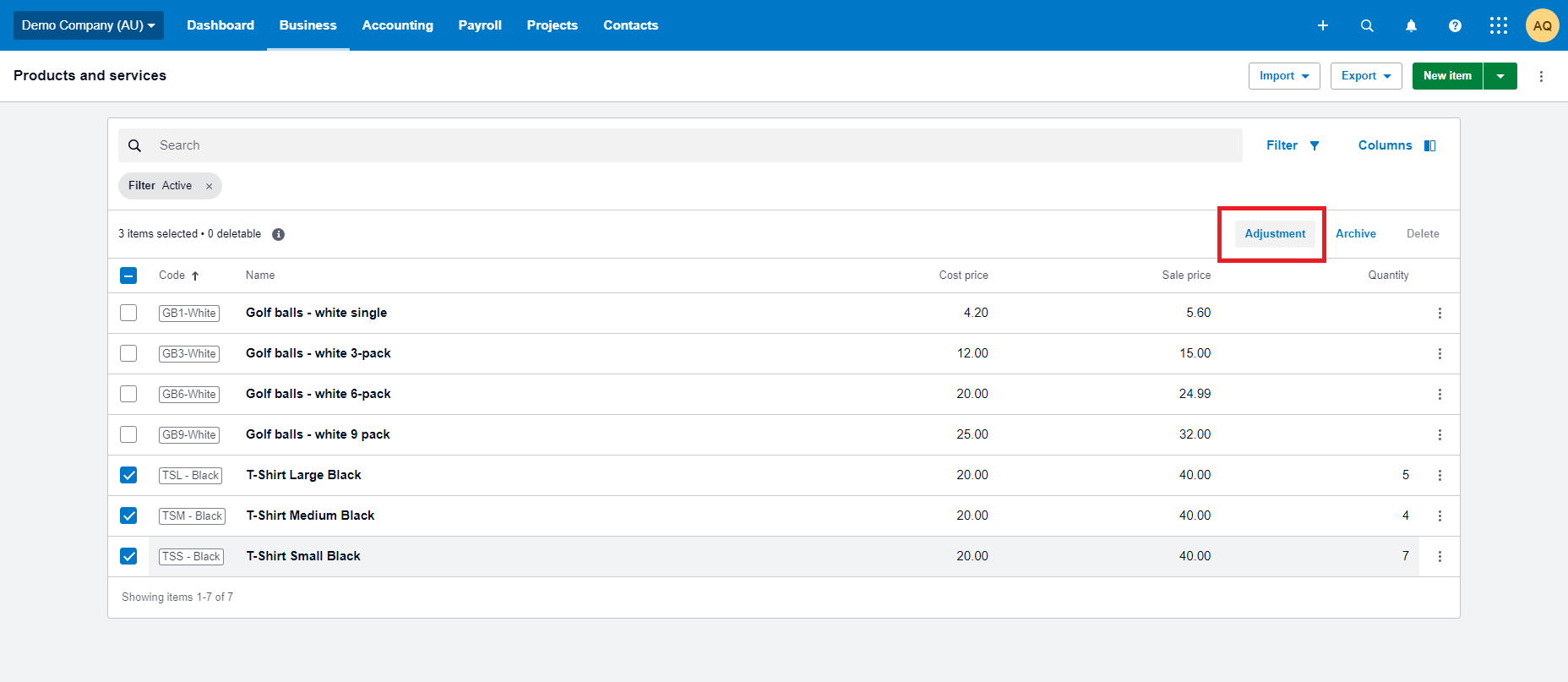
One of the biggest challenges for goods based businesses is keeping inventory accurate without it becoming a full time job. Traditionally, correcting stock levels in Xero meant adjusting each item individually. That process was slow, repetitive, and prone to errors.
With Xero’s bulk adjustment feature you can now select multiple tracked inventory items and update their quantities in a single action. This means stocktakes, corrections, and reporting can all be managed much more efficiently.
2. Automated Bill Entry
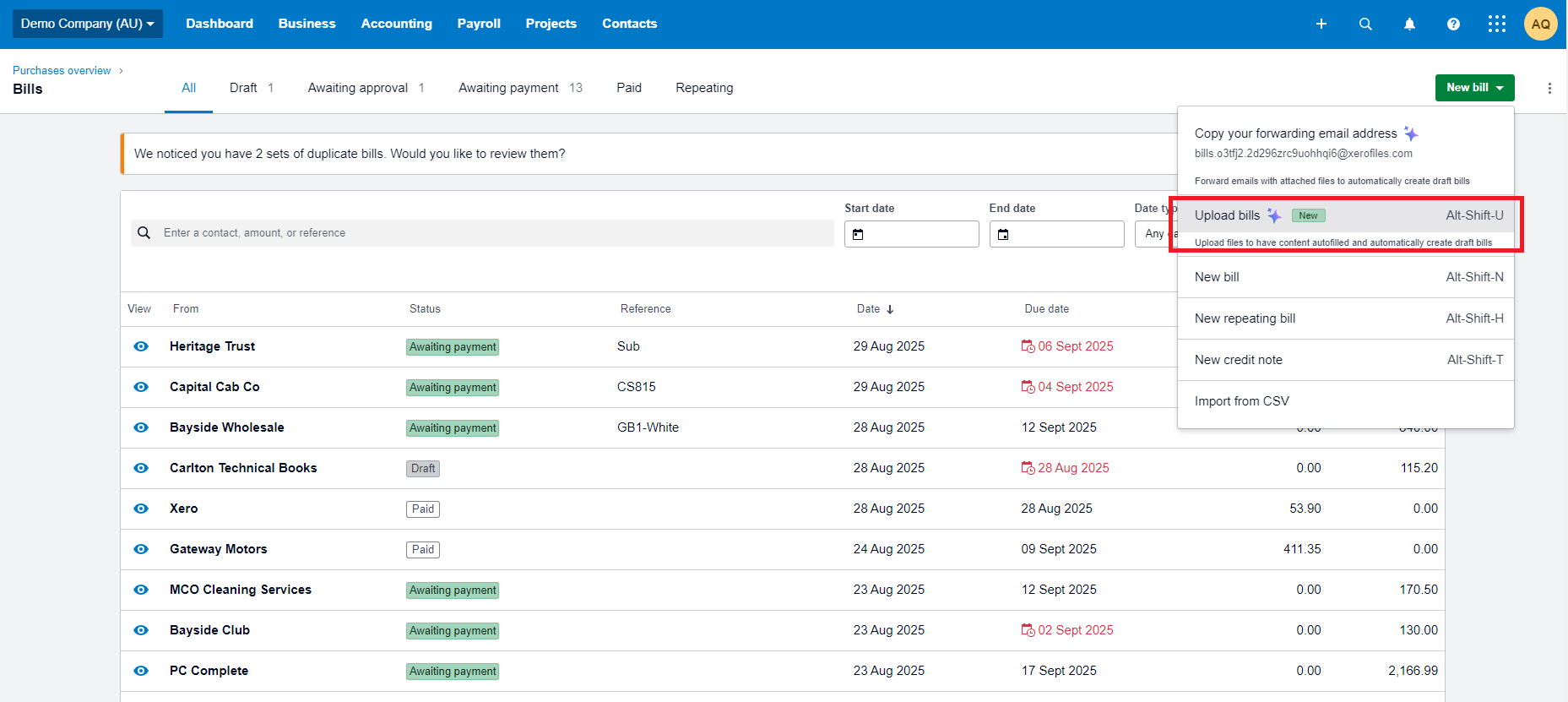
Xero has also introduced global automated bill entry. You can upload supplier bills directly into Xero by dragging and dropping files or selecting multiple documents at once. Xero automatically creates draft bills with key details pre filled and attaches the original document for review and approval.
This is a helpful way to reduce repetitive data entry, particularly if you deal with a steady flow of supplier invoices. However, the feature is still fairly simple. It does not always capture detailed line items or provide the flexibility that some businesses need.
For those situations, tools like Hubdoc can work alongside Xero. Hubdoc offers more advanced document processing and analysis, while still feeding the information straight into your accounting system. Together, they provide a more complete solution for managing bills. You can learn more about Hubdoc at our Simplify Your Document Management with Hubdoc blog.
3. A Refreshed Purchase Order Experience
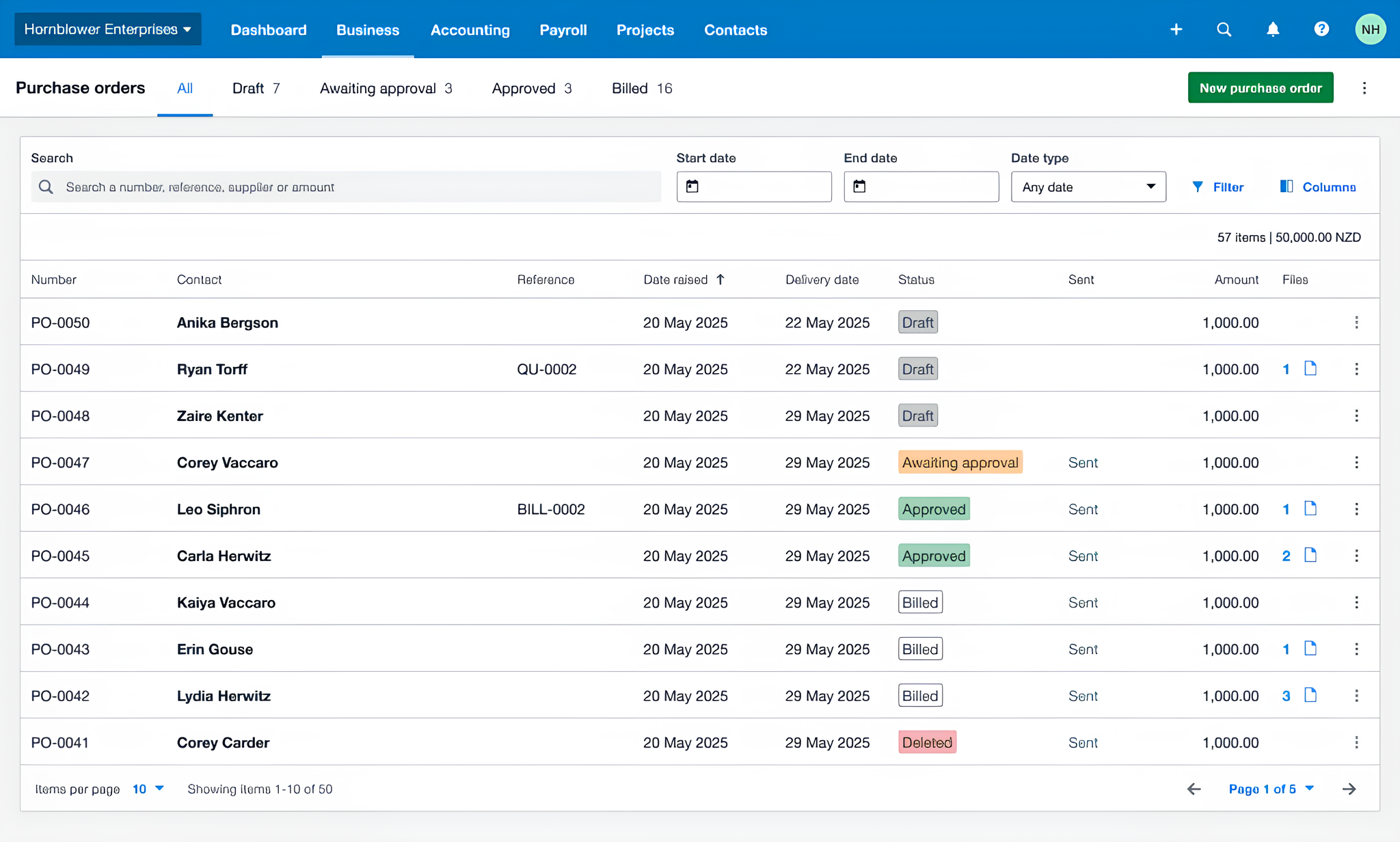
Image credit: Xero Blog
Another area that has received attention in Xero is purchase orders. For any goods based business, ordering stock efficiently is essential to keeping shelves full and cash flow under control. Xero is preparing to roll out an updated purchase order screen in the coming months that will make the process simpler and easier to manage.
What you can do:
-
Cleaner list management. Deleted purchase orders no longer clutter your main view, although they are still easy to find later with filters.
-
Compact view option. See more purchase orders on the screen at once, which is especially helpful if you manage a high volume of orders.
-
Personalised layout. Choose which columns you want to see, arrange them in the order that works for you, and save your preferred view. You can also set a default status, so when you open purchase orders you immediately see what matters most, whether that is drafts, awaiting approval, or all orders.
These improvements will make it easier to keep track of stock orders with less scrolling and clicking, while always focusing on the most important information. For small business owners who wear many hats, this should translate into real time saved each week.
Bulk inventory adjustments and automated bill entry are available in Xero today and can save you hours of admin if you start using them. The refreshed purchase order experience is not far away and will provide another boost in efficiency once released. At MKG, we assist businesses to get the most out of Xero. Contact us today if you would like support in setting up or streamlining your system, our team is ready to assist.