
Xero Contacts Aren’t Just an Address Book
When you think about Xero, invoicing, bank reconciliation and financial reports probably come to mind first. The Contacts section can easily be overlooked or treated simply as a place to store names, phone numbers and email addresses. However, an organised Xero contact record can make everyday tasks easier. It can provide a useful overview of your dealings with a customer or supplier, help reduce repetitive data entry and make financial information easier to find.
See more than just contact details
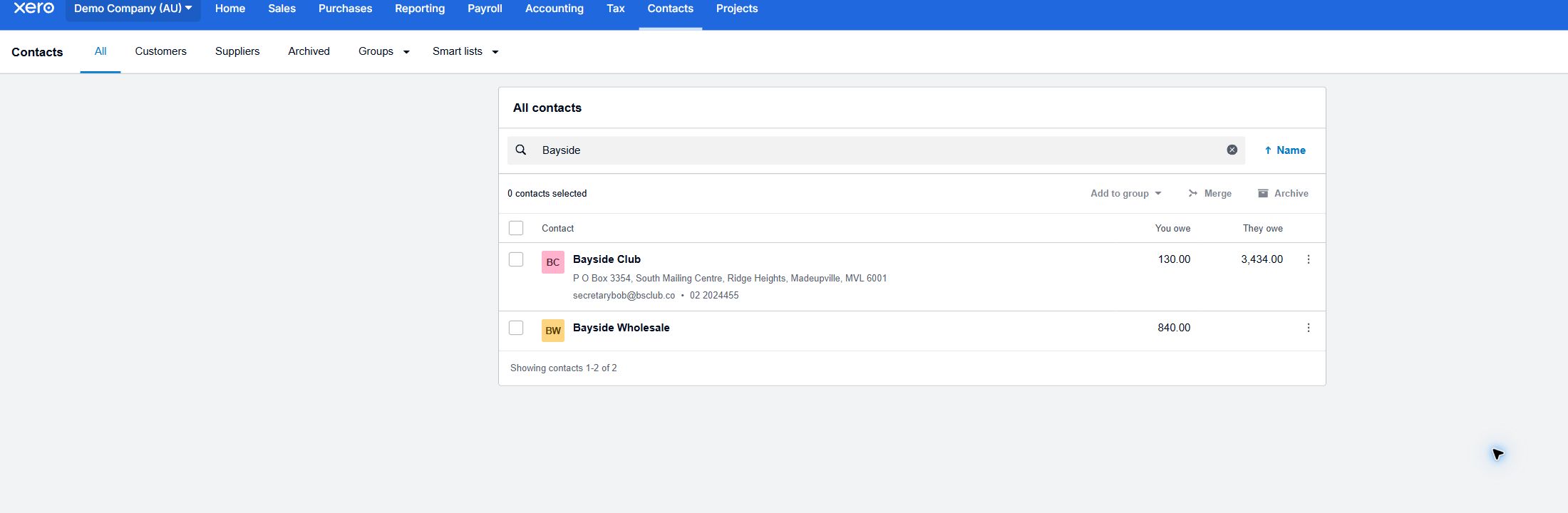
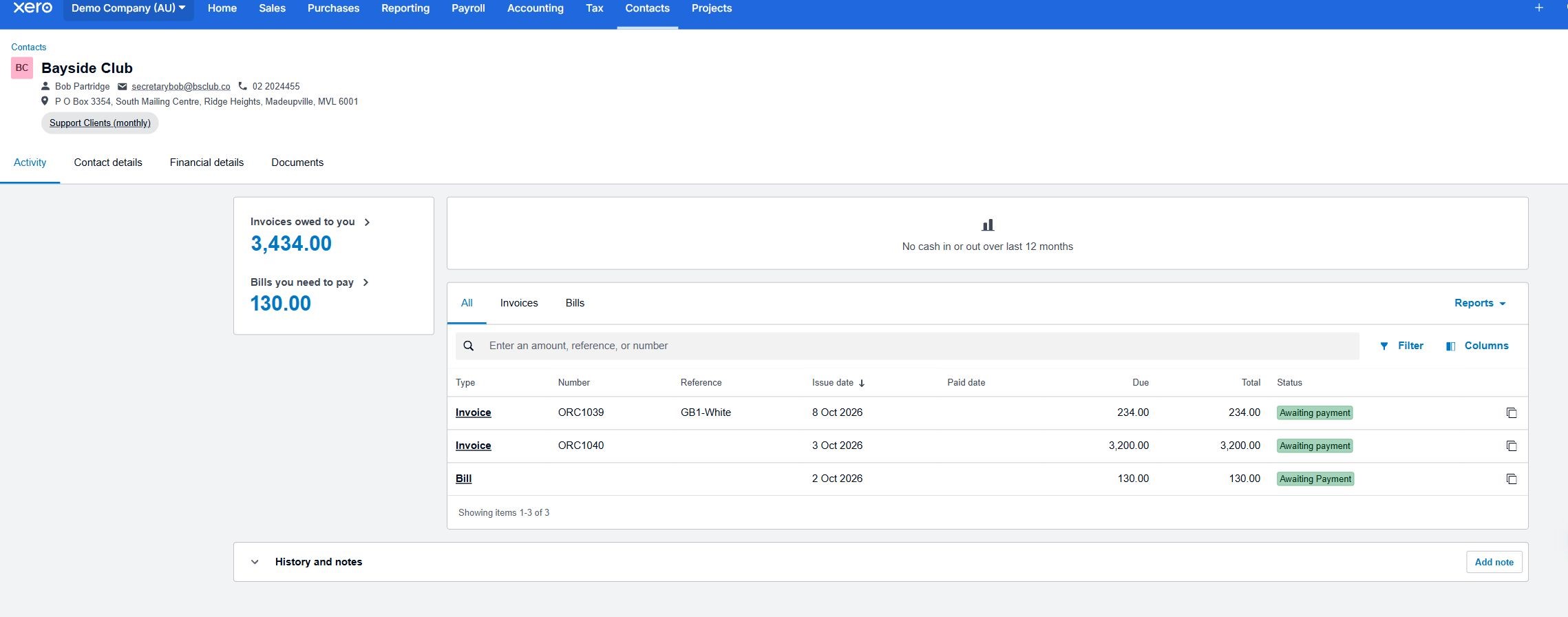
When you open a contact in Xero, you can see much more than their basic contact information.
Xero brings together the financial activity associated with that customer or supplier. Depending on the contact, this can include invoices, bills, payment history, outstanding balances and other transactions.
For example, if a customer calls with a question about an invoice, their contact record can provide a quick overview of what has been issued, what remains unpaid and the recent activity on their account.
This can save time compared with searching through individual transactions or separate records.
Keep useful information together
You can also add notes and documents to individual contact records.
This can be useful for keeping relevant information together, particularly when more than one person in your business uses Xero. Rather than relying on someone’s memory or searching through different systems, your team can refer to the contact record for additional context.
Keeping names, email addresses, phone numbers and other details current also helps when sending invoices, paying suppliers or following up an account.
Make regular transactions easier
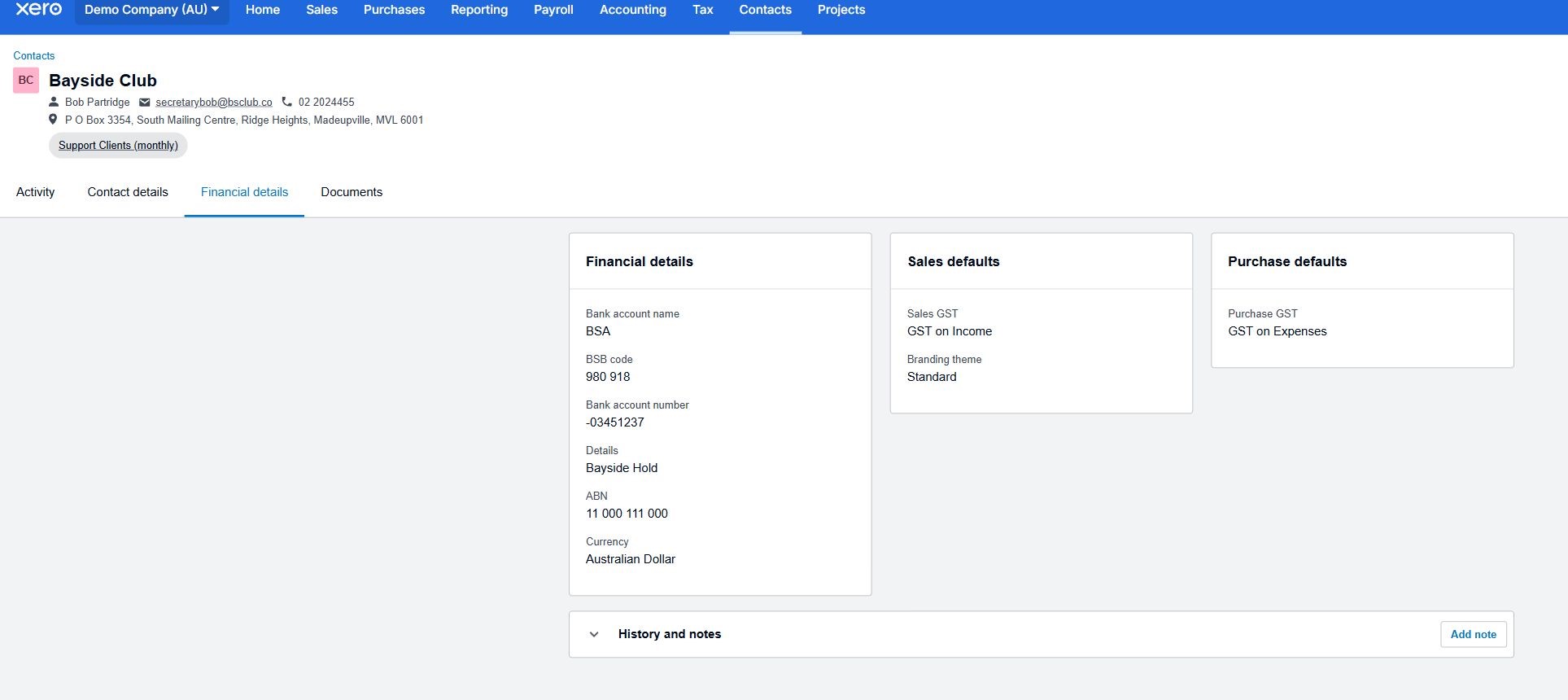
Contact records can hold financial details and defaults that may help with future transactions.
Depending on how a contact is used, this may include information such as their currency, tax treatment, invoice payment terms, purchase settings, branding theme or account details.
Setting these details up correctly can reduce repetitive data entry and help transactions for regular customers and suppliers remain consistent. Contact-specific payment terms can also override an organisation’s general defaults when an invoice or bill is created.
Use groups to organise similar contacts
Xero also allows contacts to be placed into groups based on something they have in common.
For example, a business might create groups for different customer types, service arrangements, locations or categories of supplier. This provides another way to find and manage related contacts without changing their individual records.
Contact groups can also be useful when the same invoice needs to be prepared for several customers, such as clients on the same recurring service arrangement.
Xero Contacts may not be one of the first features you think about, but it can be a useful part of keeping your day-to-day business records organised. Taking a little time to maintain contact information, review financial settings and use groups where appropriate can make it easier to find what you need, understand previous activity and manage routine invoicing and payment tasks. To learn more, visit Xero’s guides to managing contacts and creating contact groups.