

Xero Reconciliation: Why It’s Not Just About Matching Transactions
If you have been using Xero for a while, reconciling your bank transactions has likely become part of your regular routine. It is quick, efficient, and often just a matter of matching transactions until everything turns green. However, that ease can sometimes lead to a false sense of accuracy. Reconciliation is not just about getting a match, it is about making sure each transaction is recorded correctly. Small errors in coding or GST treatment can easily go unnoticed and may affect your reports, BAS, and tax position over time.

What Reconciliation Really Involves
When you are regularly reconciling in Xero, it is easy to focus on speed. But reconciliation is not just a task to complete, it is a checkpoint to ensure your financial data is accurate.
Each transaction should be reviewed with a few things in mind:
- Is it coded to the correct account?
- Is the GST treatment correct?
- Does the transaction reflect what actually happened?
- Has anything been duplicated or missed?
A transaction can be reconciled and still be wrong. That is where issues begin to build over time.
Why “Green” Does Not Always Mean Correct
Xero is designed to make reconciliation quick and efficient. However, this also means it can be easy to accept suggestions without fully reviewing them.
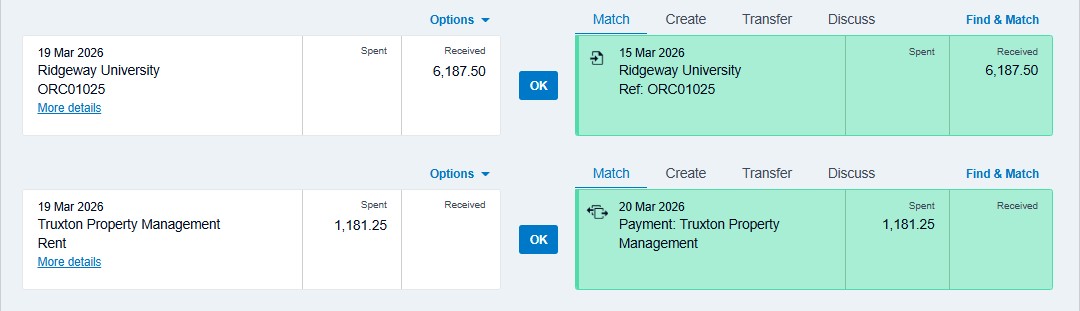
Some common examples include:
- Using a bank rule that codes an expense to the wrong account
- Accepting a suggested match that relates to a different transaction
- Coding GST incorrectly on items like insurance or bank fees
- Duplicating transactions when bills or receipts are also entered separately
Over time, these small errors can add up and affect your financial position.
Where Things Commonly Go Wrong
For many business owners, the risks are not in whether reconciliation is done, but how it is done.
Bank rules running in the background
Bank rules are helpful, but they can continue applying outdated coding if they are not reviewed regularly.
Quick matches without checking details
It is easy to accept a suggested match without confirming it relates to the right transaction.
GST applied incorrectly
Not all expenses include GST. Items like bank fees, and parts of insurance or registration, may be treated differently. Incorrect GST coding can flow through to your BAS.
Duplicate transactions
This often happens when transactions are captured through multiple sources, such as bank feeds and uploaded documents.
Old unreconciled items left behind
Leaving these sitting in your file can make it harder to identify issues later on.
A Practical Way to Stay on Top of It
If you are already reconciling regularly, the goal is not to slow you down, but to add a quick layer of review.
A simple monthly check can make a big difference:
- Review a sample of reconciled transactions to confirm correct coding
- Scan for any unusual or inconsistent GST treatment
- Check for duplicate entries
- Clear out any old unreconciled transactions
- Review your bank rules to make sure they still reflect your current setup
This only takes a short amount of time but helps keep your file accurate and reliable.
If reconciliation has become a quick tick-off task, it may be worth slowing down just slightly to review what is being approved. Xero is designed to make the process efficient, but accuracy still depends on how each transaction is handled. A small amount of attention during reconciliation can help avoid larger corrections down the track.
If you are considering moving to Xero, you can currently receive 90% off your Xero plan for the first three months when you subscribe by 30 April 2026. Sign up now.